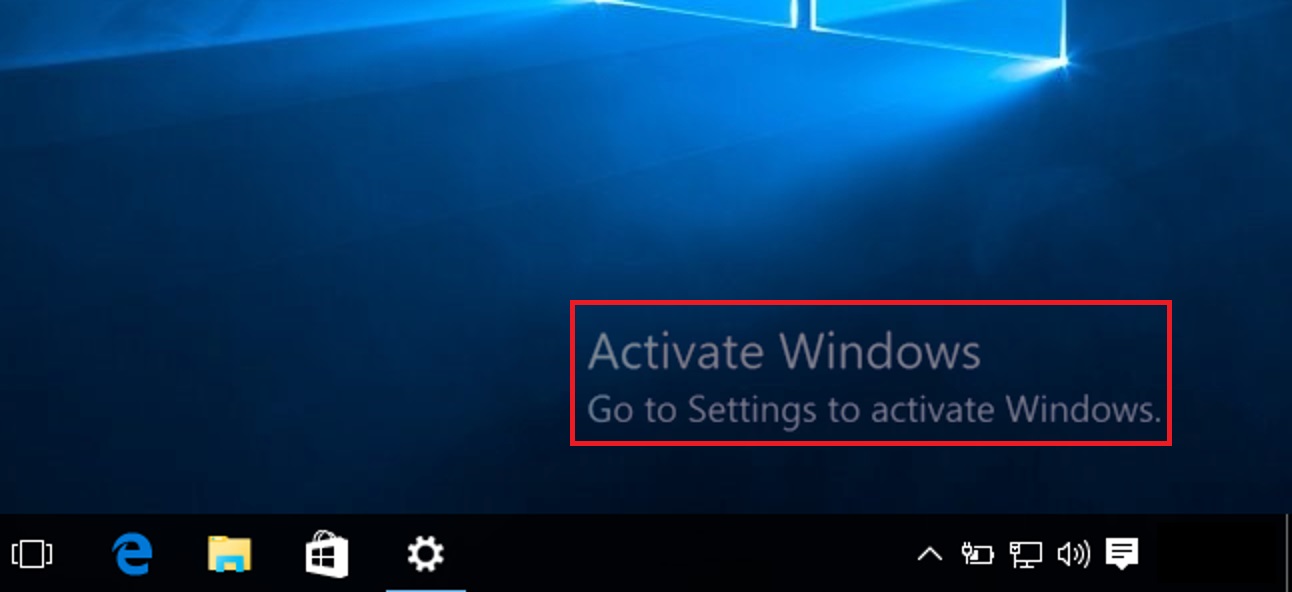
Unable to activate Windows.

browse
Description
You usually get an error on the laptop stating that the windows is not activated and the system prompts you to activate windows. This happens when there is hardware changes, reinstalling windows or factory reset .
Solution
Check the activation status.
- Go to Settings..

- Then click Update and Security.
- Select Activation, there we can check for windows activation status.

How to get the Product key to activate windows.
- Go to Microsoft Store.

- Install "showskeyplus".
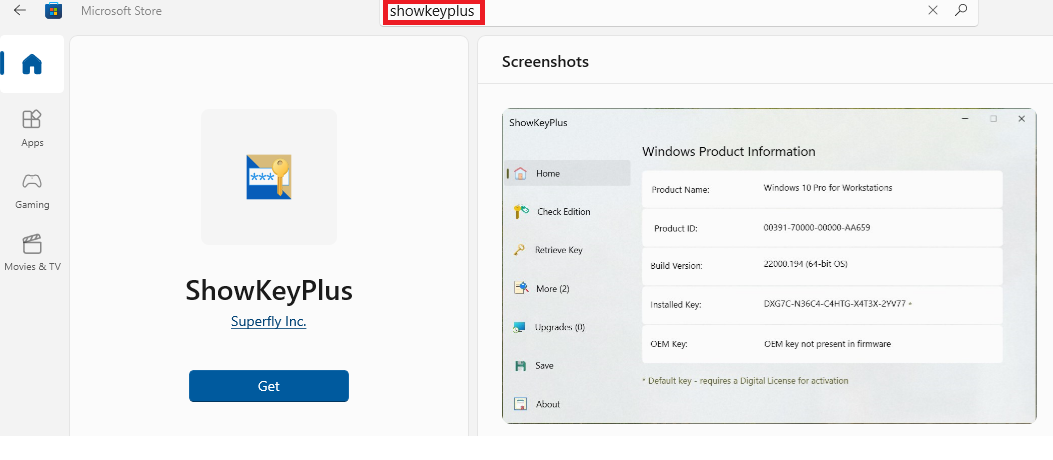
- Run the application once installed,
- You should be able to see the 25 Digit Product key/Installed key. Copy this alpha-numeric digits

- Now go back to Activation, choose the option Change Product Key and enter the 25 Digit Installed key.
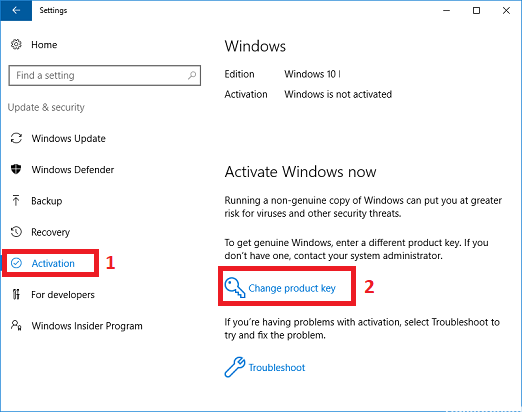
- This should activate the windows.
- In case issue persists. To assist you with the activation key kindly assist with the below mention information.
1. First and last name
2. Phone number
3. Shipping address (Cannot be a P.O. box)
4. A copy of the proof of purchase / receipt.
5. A close-up photo of the bottom of the unit showing a clear view of the Gateway USA nameplate with the serial and the model number of the device.
6. Product ID ( setting >system> about > under device specification, you will find the product ID)
Email address: support@gatewayusa.com
Comments
1 comment
Not turning on
Please sign in to leave a comment.